See the whole exchange.
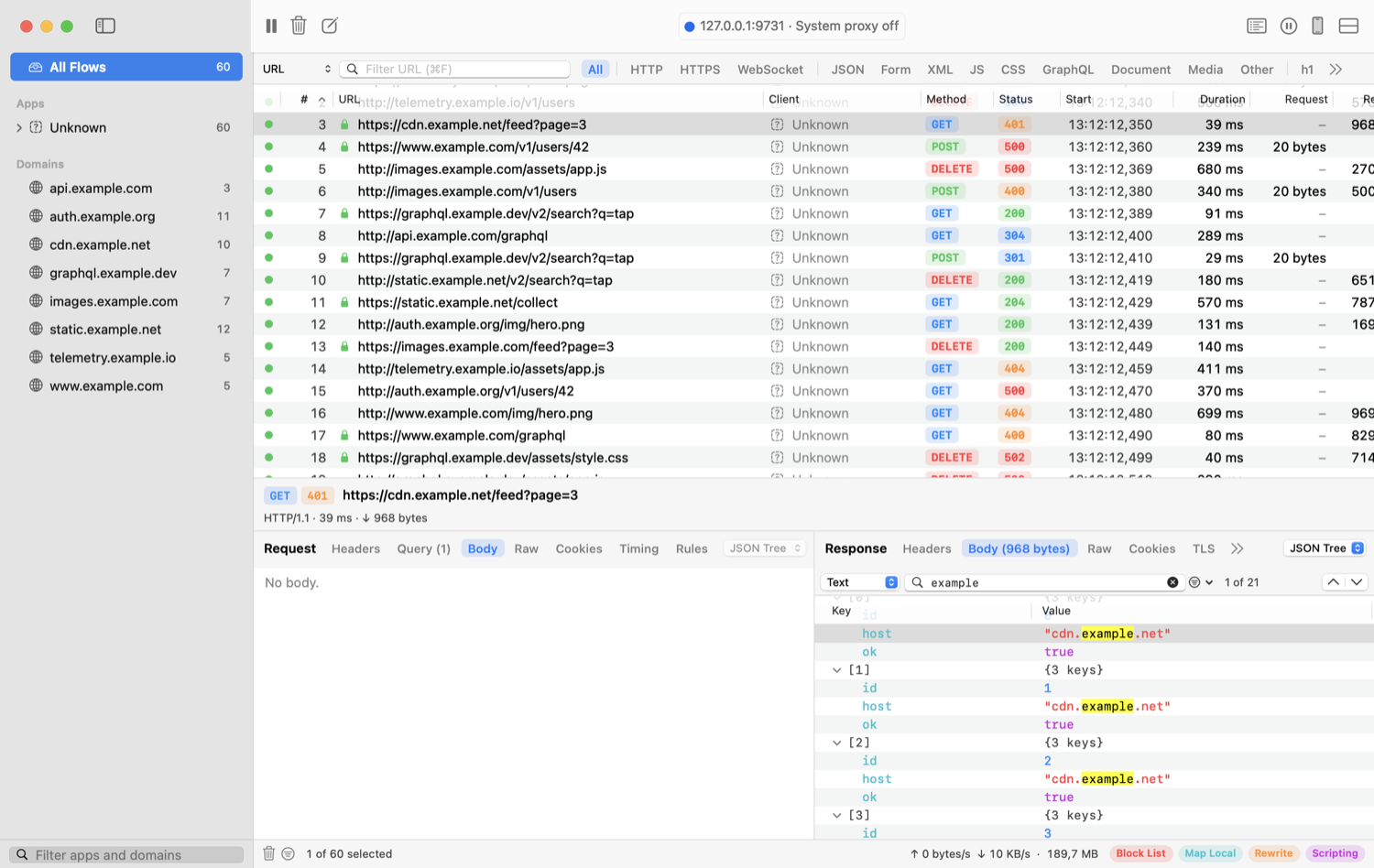
Headers, bodies, timing and TLS details. Filter the noise, search JSON, and follow WebSocket messages and event streams.
HTTP/2WebSocketSSE
Native macOS · Open source · MIT licensed
See what your apps are sending.
Inspect, change and replay HTTP(S) traffic in a native Mac app.
Built with Swift. Yours to inspect.
A shorter path to “oh, that's why.”
Tap takes its name from tapping into network traffic. Put it between your app and the server to see what happens along the way.
Headers, bodies, timing and TLS details. Filter the noise, search JSON, and follow WebSocket messages and event streams.
Serve a local response, rewrite a header, or hold a flow at a breakpoint. Try slow networks and JavaScript rules.
Compose requests, import cURL commands and replay captured traffic. Compare flows and keep the session for later.
On your Mac. In a simulator. On your phone.Configure the proxy once, then follow the traffic in Tap.
Make yourself at home
Clone it, build it, and send your first request through Tap. The app runs locally, with HTTPS decryption for the hosts you choose.
Read the build guide
Swift 6.4+ · macOS 14+ deployment target
CI verifies Apple
Silicon with Xcode 27.
git clone https://github.com/riffmasta/Tap.git
cd Tap
swift build --force-resolved-versions
swift run TapApp
Then, in another terminal
curl --proxy http://127.0.0.1:9090 \
  http://example.com
Source builds for now. A notarized installer is still on the roadmap. The system-proxy helper needs a team-signed app bundle.
Tap creates a local root certificate. Choose the hosts you want to decrypt and trust that certificate on your client. Other HTTPS traffic stays in a tunnel. Only trust the certificate on devices you control, and remove its trust when you're done. Read the HTTPS guide.
Yes. Configure your phone to use Tap's optional LAN listener as its proxy. Use a trusted network and turn LAN access off afterward. Tap also has setup tools for iOS simulators, Android emulators and terminals. See device setup.
Sessions and exports can contain tokens, cookies, private URLs and personal data. Exports are not automatically redacted. Check the contents, use synthetic data in bug reports, and never share your CA private key. Read the security notes.
Less guessing.
More understanding.